How to Redeem Logo for Brainrots Codes
Typical Roblox Codes / Shop flow, plus group and like gates you should expect.
Logo for Brainrots has no confirmed active codes as of Sep 2026, but the redeem flow is still worth learning before FootballVerse ships the first string. This page covers the usual Roblox UI (a dedicated Codes button, or Shop → Codes), the case-sensitive typing rules, the one-use-per-account limit, and the group/like gates that quiz-tycoons use when they finally turn codes on. When a real code exists, you will copy it from the Codes Hub table and follow these steps in order.
This is a live experience (released 4 May 2026, last Roblox-listed update 27 August 2026), playable on PC, mobile, tablet, and console through Roblox, with a maximum of six players per server. Redeem is account-bound. A full lobby does not block a claim, and a private server does not grant extra claims.
Before you open the text box
Do the social gates first. Many Roblox games hide the Codes button or reject the string until these are done:
- Open the official Logo for Brainrots page and like the experience on the same Roblox account you will play on.
- Join the verified FootballVerse group (community 1024784294, owner SimplRep). Group membership is the most common silent requirement when a code returns a generic error.
- Launch the game and wait until your avatar is fully in the quiz-tycoon world — standing in front of the lookalike logo doors is enough. Do not paste a code on the Roblox loading screen.
- Confirm you are not already in a menu that captures keyboard input (chat, emote wheel, or a purchase prompt). On PC, close chat first. On mobile, dismiss the on-screen keyboard from chat before opening Codes.
None of those steps are a published FootballVerse requirement today, because no code has been confirmed. They are the checklist that stops “it didn’t work” reports the first week a code is live. If you skip them, retry after joining the group rather than assuming the code is fake.
Where the Codes UI usually lives
FootballVerse has not documented a unique button name for this title, so do not hunt for a custom label we invented. In Roblox tycoons and quiz games the redeem box is almost always in one of two places:
- Codes button on the HUD (often a ticket, gift, or Twitter-style icon). Tap or click it, then look for a text field and a Submit / Redeem / Claim control.
- Shop → Codes. Open Shop (or Store), then a Codes tab or a Codes button inside that panel. Some games bury it under Gifts or Rewards instead of Shop; check those tabs if Shop is empty.
Walk the HUD once with controls in mind: on PC you click; on mobile and tablet you tap the same widgets; on console you highlight with the stick and confirm with the face button Roblox maps to Activate. If the HUD is crowded with multiplier popups, close those first so the Codes control is not hidden under a toast.
If you still cannot find a Codes entry after a patch, the feature may not be wired yet. That matches the empty Codes Hub table. Do not install an executor to “force redeem.” That is a different, bannable path described on the Scripts Hub.
How to type the code
Once the text box is focused:
- Copy the string from this wiki’s table — do not retype from memory. Logo for Brainrots codes, when they exist, will be listed exactly on the Codes Hub.
- Paste into the box. Codes are case-sensitive.
LOGOandlogoare different strings. Do not add spaces before or after. Do not add punctuation the table did not show. - Submit once. Wait for a success toast, a reward popup, or an error. Spamming Submit can lock the box or consume a one-time code into a failed state on some Roblox UIs.
- Check the reward against the table. If the hub said a multiplier and you received nothing, leave the session, rejoin, and look at Brainrot Score and multiplier UI before reporting the code dead.
One use per account is the Roblox default. The same code will not work a second time on the same userId. Switching servers (the game caps at six players) does not reset that flag. A second Roblox account is a different userId; this wiki does not encourage ban-evasion alts, but you should know why your main cannot reclaim a string your friend just used.
What success looks like in this game
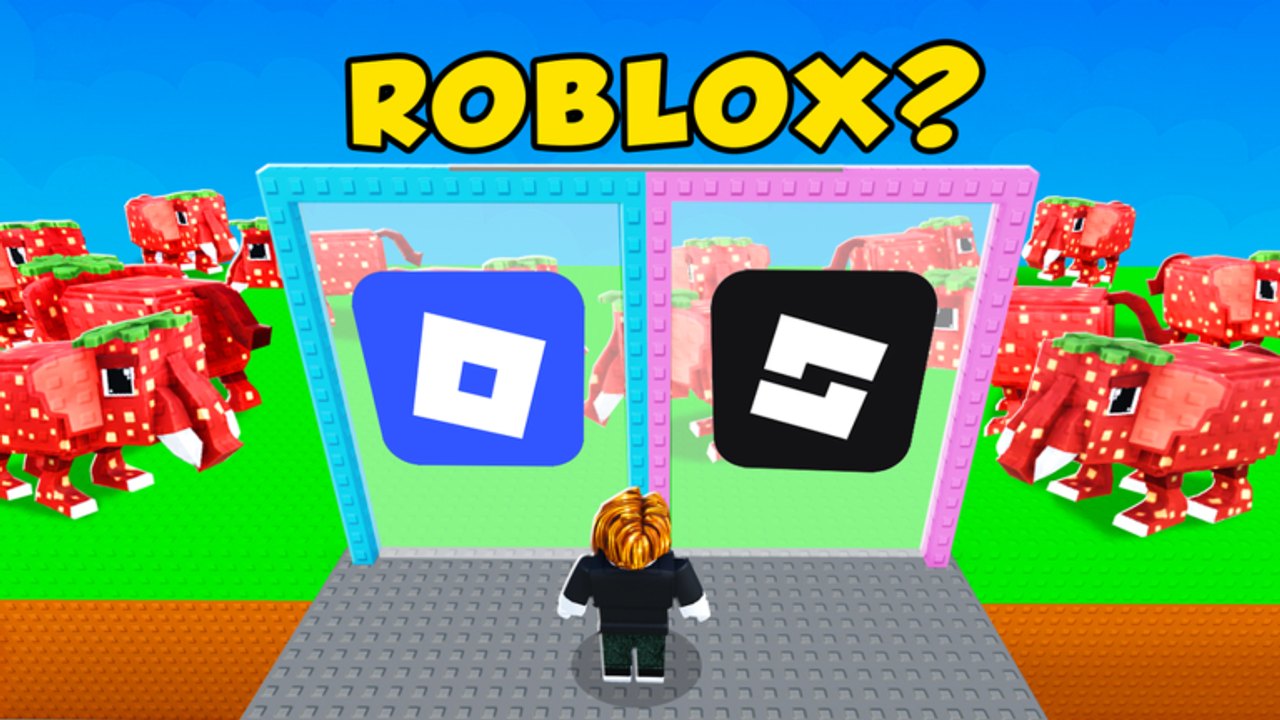
Logo for Brainrots is a quiz-tycoon. The loop is: guess the correct logo, choose the correct answer, increase Brainrot Score, unlock better Brainrot Multipliers. A code reward, if FootballVerse ever ships one, will land in that economy — extra score, a temporary or permanent multiplier, a mascot you can place, or a skip. Official thumbnails show voxel Italian-brainrot mascots (strawberry-elephant style, house-headed characters) next to fake-versus-real Roblox and LEGO marks. A code will not rewrite those puzzles; it only changes how fast you climb.
If you are still learning which mark is real, a code is optional. Follow getting started and play a few doors by hand so you know what the reward changed.
Errors and what they usually mean
- Invalid / doesn’t exist. Typo, extra space, or the code was never for this place. Confirm you did not paste a string from another brainrot game.
- Expired. Move on. Do not retry. Log it mentally and check the expired codes archive; we move dead strings there so the hub stays clean.
- Already redeemed. The one-use flag is set. You are done.
- Not eligible / try again later. Most often a missing like or a missing FootballVerse join. Do both, rejoin the experience, and try once more.
- No Codes button at all. Feature not shipped, or it is nested under Shop. Recheck after the next update.
Platform notes: mobile paste can insert a trailing newline — delete it. Console players without a keyboard should use Roblox’s on-screen keyboard and watch autocorrect. PC players should paste, not type, to avoid caps-lock mistakes.
After you redeem
Close the Codes UI and look at the tycoon, not at chat. Confirm Brainrot Score, multiplier, or a new mascot actually appeared. Then keep playing the quiz: pick the real logo, ignore the fake, and spend the bonus on the next multiplier unlock. If you were hunting codes because you wanted to skip the quiz entirely, that is what community scripts attempt — with a real ban risk. Stay on this codes path unless you have read how to use scripts and accepted that cost.
Return to the Codes Hub whenever the Roblox update timestamp on the experience moves, and never reuse a line that has been moved to expired codes.
Frequently Asked Questions
Quick answers to the most common questions.
Where is the Codes button in Logo for Brainrots?
Look for a dedicated Codes control on the HUD, or open Shop and find a Codes tab. FootballVerse has not published a unique label. If neither exists, the feature is not live yet — the Codes Hub will still show a dash.
Are codes case-sensitive?
Yes. Type or paste the string exactly as the Codes Hub table shows it. Extra spaces and wrong capitals fail.
Can I redeem the same code twice?
No. Expect one use per Roblox account. Changing servers (max six players) does not reset the flag.
Do I need to join a group?
Not confirmed for this title yet, but it is the most common Roblox gate. Join FootballVerse and like the experience before you report a code as broken.
The code failed. What next?
Check expired status on the expired codes page, confirm you are not pasting a string from another game, then wait for the next update.
Does console use a different redeem menu?
No separate menu. Use the same Codes or Shop path with controller mappings. Watch on-screen keyboard autocorrect.