Logo for Brainrots on Mobile
Tap the real logo, not the lookalike, with a thumb that also steers the camera.
Most Logo for Brainrots sessions happen on a phone. The experience is a free Roblox quiz-tycoon from FootballVerse (SimplRep), live since 4 May 2026, and Roblox ships the same place (123959902101040) to mobile, tablet, PC, and console. This page is the mobile-specific half of how to play: how to move, how to tap a door without dragging the camera, and how not to grief a six-player lobby with a fat thumb.
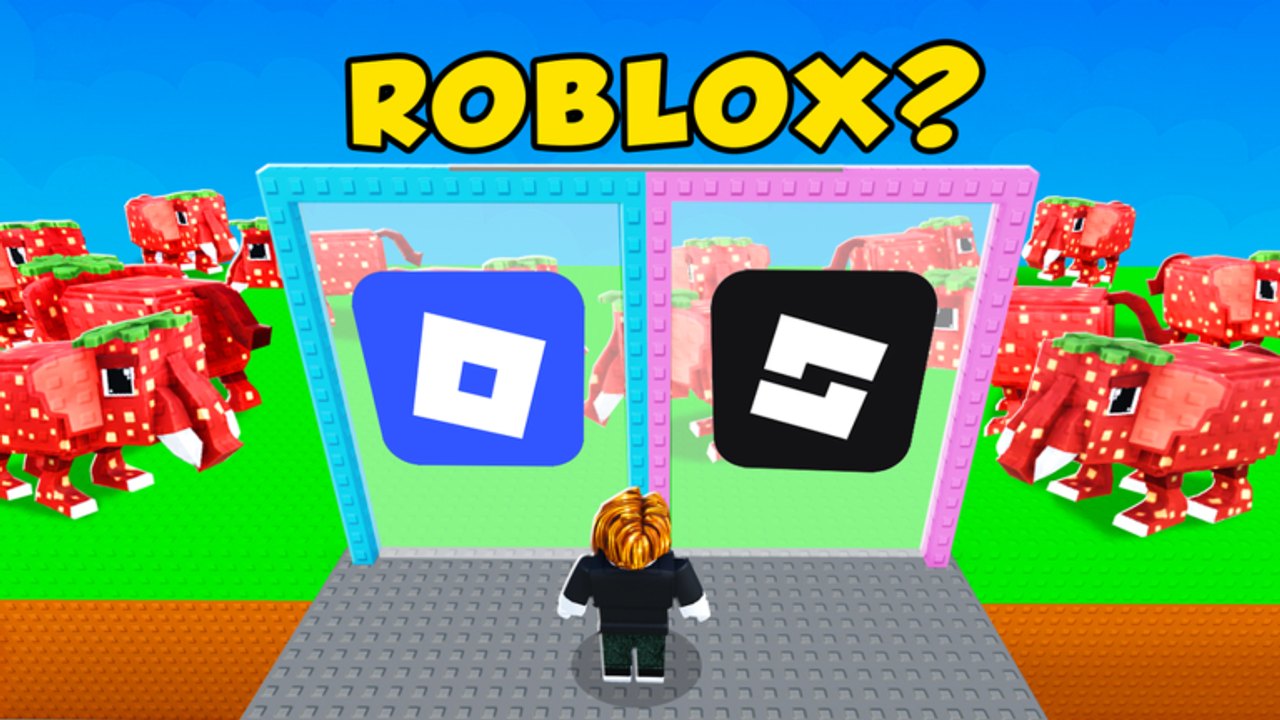
The rules do not change on a smaller screen. Guess the correct logos. Choose the correct answer. Increase Brainrot Score. Unlock better Brainrot Multipliers. Official thumbs still show two-door and two-card prompts (ROBLOX?, LEGO?) with a real mark beside a fake, plus voxel mascots such as a strawberry-elephant Brainrot. What changes is input. If a desktop guide told you to press E, ignore it; this client uses Roblox’s on-screen stick and tap-to-interact. Details that apply to every device stay on controls.
Set up the phone before the first door
- Open Roblox, search Logo for Brainrots, or use the official experience link from the links hub.
- Like the experience and join the FootballVerse group while you still have two hands free. Group gates, when they exist, are easier in the Roblox app than in a crowded HUD. See the group page.
- Drop into a public server. Max is six. If the lobby is full of people standing in both doors, hop once. You do not need a VIP server; the place does not sell them.
- Before you sprint, open Roblox settings and check camera sensitivity and shift-lock. Shift-lock is a PC habit. On mobile it is usually off. Leave it off unless you already play every tycoon that way.
- If the HUD covers the lower third of a logo card, rotate to landscape. Portrait works, but the two-card quiz is a landscape puzzle.
Movement and camera with one thumb
The left stick moves. The right side of the screen drags the camera. A tap on a door or card is the guess. That is the whole scheme. Problems start when a drag becomes a tap or a tap becomes a drag:
- Plant the stick, then look. Start moving only after you have framed both logos. A moving camera is how you tap the fake Roblox tile that was “on the right” a second ago.
- Short taps, not slides. Sliding across a card can pan the camera and register as a miss. Lift the thumb fully between camera moves and guesses.
- Stand one step back from the door. On a phone the interact volume is large. Standing inside the frame is how you guess the wrong side because your character is already overlapping it. Getting started uses the same stance on PC; it matters more here.
- Do not pinch-zoom during a prompt. Zooming is a camera gesture. The quiz is not a map app.
If taps never register, the round may be waiting on a UI button, not the world door. Look for a Confirm, a highlighted card, or a mobile-sized hitbox on the prompt itself. We do not invent a keybind. If your build disagrees, the in-game settings menu wins.
Guessing on a small screen
Lookalike marks are harder on a phone because you see less of the lockup. Compensate:
- Read the prompt first, not the louder color. ROBLOX? means the real diamond-square on blue, not the black flipped shape. LEGO? means the classic red-and-yellow lockup, not a swapped field. Full visual notes: how to guess logos.
- Hold the phone still for one beat. Motion blur on a cheap panel is enough to swap red and green tiles.
- Landscape for two-card quizzes. Portrait stacks the cards and hides the prompt.
- Brightness up. Fake marks often differ by a thin stroke. Auto-brightness in a dark room will hide it.
Score still rewards accuracy over panic. A mis-tap dumps a streak the same way a mis-click does. The long version is how to increase score.
HUD, shop, and codes on mobile
Codes, when FootballVerse ships them, usually sit behind a Codes or Shop button. On a phone that button is a side icon, not a keyboard shortcut. The redeem flow is on how to redeem. As of this wiki pass there are no confirmed active codes; still learn the button so you are not hunting it during a live drop.
Rebirth and multiplier panels are the same as desktop, just smaller. If Confirm hides under the Roblox chat or the experience’s own joystick, collapse chat, then tap. Prestige rules: how to rebirth.
Six-player etiquette on a touch screen
You share the quiz with five other people. A thumb that parks in a doorway blocks their taps. After you guess, step off the card. Do not spam both doors “for content.” Griefing does not raise Brainrot Score and it makes the next NEW BRAINROTS drop worse for everyone in a 700–1800 CCU game.
Scripts that claim “mobile loaders” are still executors. They are optional, risky, and unrelated to tapping a logo. If you came here for a farm, read scripts and how to use scripts instead of this page.
Tablet and console notes
Tablet is mobile with more glass. Use landscape and treat it as a large phone. Console uses a stick and a face button instead of a tap; the guess is still “choose the real mark.” Console has no supported executor — anyone selling Xbox Logo for Brainrots scripts is scamming. Keyboard players should stay on controls.
Related: How to Play, Getting Started, How to Guess Logos, Controls.
Frequently Asked Questions
Quick answers to the most common questions.
Can I play Logo for Brainrots on a phone?
Yes. The same Roblox place runs on mobile, tablet, PC, and console. Input is a stick plus tap-to-choose, not a keyboard.
Why do my taps miss the logo door?
You are probably sliding the camera. Plant the view, stand one step back, then use a short tap. See controls if the hitbox still ignores you.
Should I play in portrait?
Portrait works for movement. Two-card quizzes are easier in landscape so both lookalikes stay on screen.
Are mobile scripts required?
No. Play the quiz by tapping. Loaders are optional and risky; that discussion is on scripts.
How do I redeem codes on mobile?
Find the Codes or Shop icon, type the string, submit. Full steps: how to redeem. No confirmed codes as of this pass.